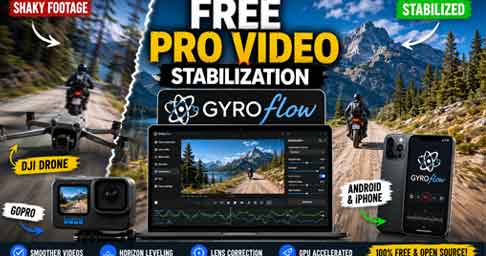
Video quality has become one of the most important factors for success on YouTube, Instagram Reels, Facebook Reels, and other social media platforms. Even when creators use high-quality cameras, unwanted shakes and vibrations can reduce the overall viewing experience. This is where Gyroflow becomes an essential tool. Gyroflow is a powerful and free video stabilization application designed to transform shaky footage into smooth cinematic videos. It uses gyroscope data recorded by cameras and smartphones to achieve professional stabilization results. The software has gained popularity among drone pilots, action camera users, filmmakers, and content creators because it delivers premium-quality stabilization without expensive subscriptions. Today, millions of creators are searching for reliable stabilization software, and Gyroflow has emerged as one of the most trusted solutions available.
What Is Gyroflow?
Gyroflow is an open-source video stabilization application that uses motion data captured by a gyroscope to stabilize recorded footage. Unlike traditional stabilization tools that rely only on visual analysis, Gyroflow combines video processing with gyroscope information to create smoother and more natural results. This advanced technology allows users to remove camera shakes, correct horizon tilt, and improve overall video quality. The software supports a wide range of devices including GoPro cameras, DJI action cameras, Sony cameras, Insta360 cameras, and many drone systems. Because it is free and regularly updated, Gyroflow has become a favorite choice among professional videographers and hobbyists alike.
Key Features of Gyroflow
One of the biggest reasons behind Gyroflow’s popularity is its extensive feature set. The software offers advanced stabilization algorithms that help eliminate unwanted movement from footage. It also includes horizon leveling, rolling shutter correction, lens distortion correction, and GPU-accelerated rendering for faster processing. Another major advantage is its compatibility with professional editing workflows. Users can integrate Gyroflow with popular video editing software such as Adobe Premiere Pro, DaVinci Resolve, Final Cut Pro, and After Effects. These features make it suitable for both beginners and experienced video editors looking to enhance production quality.
Why Content Creators Love Gyroflow
Modern content creators often record videos while walking, running, traveling, or flying drones. These activities naturally introduce camera shake and vibration. Gyroflow helps creators solve this problem quickly and efficiently. The software provides smooth stabilization without significantly reducing image quality. Since the application is free, creators can save money while still achieving professional-looking results. Many YouTubers, drone enthusiasts, and social media influencers use Gyroflow to produce cinematic footage that attracts more viewers and increases audience engagement. For creators aiming to grow their channels, investing time in proper video stabilization can make a significant difference in watch time and viewer retention.
Supported Devices and Cameras
Gyroflow supports an impressive range of cameras and recording devices. Popular supported brands include GoPro, Sony, DJI, Insta360, Blackmagic, RED cameras, and many FPV drone systems. The software can also work with external gyro data logs and smartphone sensors. Users can record gyro information using compatible Android and iPhone applications and then process the footage inside Gyroflow. This flexibility allows creators to stabilize videos captured from different devices while maintaining a consistent editing workflow. The broad compatibility is one of the key reasons why Gyroflow continues to gain popularity worldwide.
Gyroflow for Mobile Filmmaking
Mobile filmmaking has experienced massive growth in recent years. Many creators now shoot professional-quality content directly from smartphones. Gyroflow supports both Android and iPhone platforms, making it accessible to mobile creators. Users can record gyroscope data and stabilize videos without needing expensive camera equipment. This capability is especially useful for vloggers, travel creators, and social media influencers who rely heavily on smartphone videography. As mobile content consumption continues to increase, tools like Gyroflow provide creators with affordable ways to improve production quality and compete with larger channels.
Final Verdict
Gyroflow has established itself as one of the best free video stabilization tools available in 2026. Its advanced gyroscope-based stabilization technology, wide camera compatibility, professional editing integrations, and completely free licensing model make it a valuable resource for content creators. Whether you are editing GoPro footage, stabilizing drone videos, or enhancing smartphone recordings, Gyroflow provides professional-grade results without the cost associated with many premium alternatives. For creators who want smoother videos, better audience engagement, and improved content quality, Gyroflow is undoubtedly worth trying.
How to Download Gyroflow
Android Download
iPhone Download
Official Website
The software is officially available for Android, iPhone, Windows, macOS, and Linux platforms. Users can download the latest version directly from the official website or their respective app stores.