
Do you worry about spelling mistakes in your messages? The CleverType AI keyboard download gives you a smart keyboard that fixes your writing for you. It works on Android and iPhone. It is made for students, workers and anyone who types on a phone every day.
What Is CleverType?
CleverType is a keyboard app with AI built in. AI means a computer helper that understands your words. You type as usual, and then tap one button to fix grammar or change the style.
It works inside any app. So you can use it in WhatsApp, Gmail, Instagram or Notes.
CleverType App Details
| Detail | Info |
|---|---|
| App name | CleverType AI Keyboard |
| Developer | CleverType Keyboard (iOS seller: Anjal Saneen) |
| Category | Productivity |
| Size | About 43 MB (Android), 45.3 MB (iPhone) |
| Latest version | 8.20.0 (Android), 2.13.0 (iPhone) |
| Android requirement | Android 7.0 and up |
| iOS requirement | iOS 15.6 or later |
| Price | Free, with optional paid plan |
| Rating | 4.4 on Google Play, 4.2 on App Store |
| Last updated | September 2026 |
Key Features of CleverType
One-Tap Grammar Fix
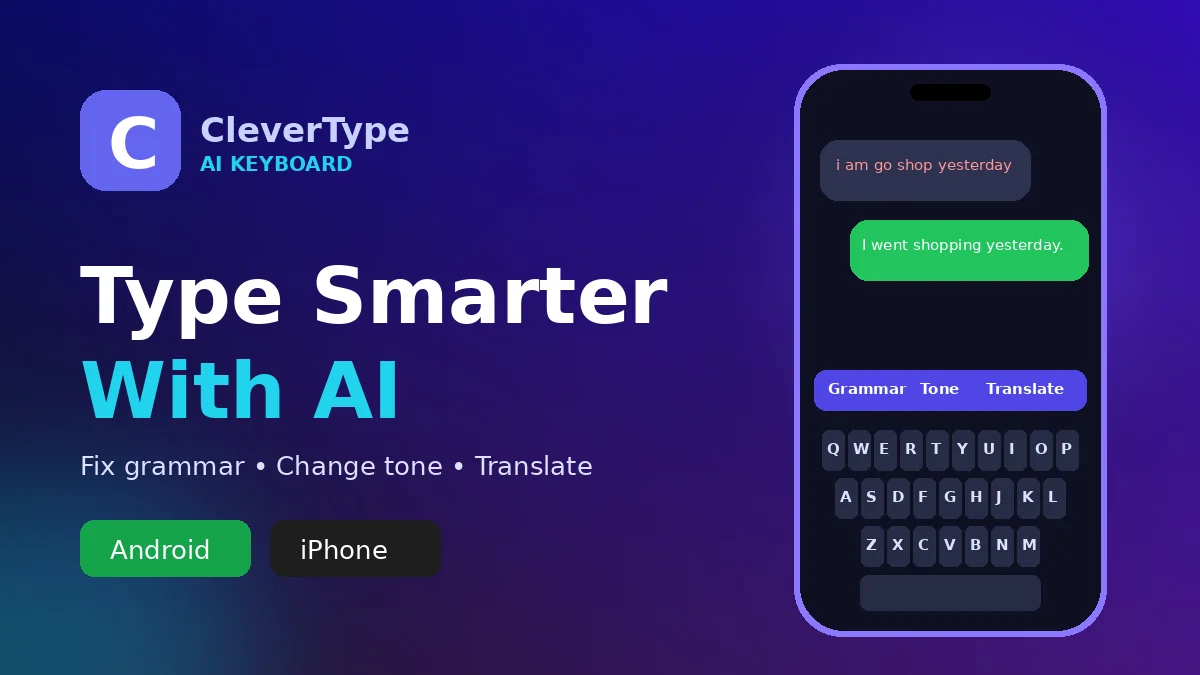
Type your message, then tap the grammar button. The app corrects spelling and grammar at once. For example, “i am going to shop yesterday” becomes “I went to the shop yesterday.”
Change the Tone
Tone means the feeling of your message. You can make it polite for your boss or friendly for your cousin. Other options include funny, formal and casual.
Smart Replies
CleverType reads the last message you got and suggests a reply. This saves time when you are busy.
Translate While You Type
You can translate your text into more than 40 languages. This helps when you chat with friends from other countries.
AI Voice Typing
Just speak, and the keyboard writes for you. It also removes filler words like “umm” and adds full stops. If you like speaking more than typing, also see our guide on the Wispr Flow voice to text AI app.
CleverType AI Keyboard Download on Android and iPhone (Step by Step)
On Android
- Step 1: Open the Google Play Store.
- Step 2: Search for “CleverType AI Keyboard”.
- Step 3: Check that the developer is CleverType Keyboard.
- Step 4: Tap Install and wait a few seconds.
On iPhone
- Step 1: Open the App Store.
- Step 2: Search for “CleverType AI Keyboard”.
- Step 3: Tap Get and confirm with Face ID or your password.
How to Use the CleverType Keyboard
- Step 1: Open the CleverType app after installing.
- Step 2: Follow the screen and turn on CleverType as your keyboard.
- Step 3: On iPhone, go to Settings > General > Keyboard > Keyboards > Add New Keyboard and pick CleverType.
- Step 4: Open WhatsApp or any chat and type a message.
- Step 5: Tap the CleverType AI button on top of the keyboard. Pick Grammar, Tone or Translate.
CleverType AI Keyboard
Pros and Cons
Pros
- Free to download and easy to set up
- Fixes grammar in one tap
- Works inside almost every app
- Also has a Chrome extension for computers
Cons
- Free plan has daily limits on AI features
- Needs internet for most AI tools
- Some users report small bugs, like repeated text
Is CleverType Safe?
CleverType says it never tracks or saves what you type. On Google Play, it says no data is shared with third parties. Data is also encrypted, which means it is locked while it travels online.
However, the Android smart reply feature asks for accessibility permission. This lets it read your last message. Turn it on only if you need that feature. For a safe CleverType AI keyboard download, use only Google Play or the App Store. Never use unknown websites.
Frequently Asked Questions
Is CleverType free?
Yes. You can download it for free. A paid plan gives unlimited AI use.
Does CleverType work on iPhone?
Yes. It needs iOS 15.6 or later.
Can I use CleverType in WhatsApp?
Yes. It works as your main keyboard, so it works in WhatsApp too.
Does CleverType work on a computer?
Yes. There is an official Chrome extension and a desktop app.
Which languages does CleverType support?
Grammar fixing and translation work in more than 40 languages.
If you type in Indian languages, you may also like the Google Indic Keyboard for Android and iPhone.
Conclusion
CleverType turns your phone keyboard into a friendly writing helper. It fixes mistakes, changes your tone and helps you reply faster. The CleverType AI keyboard download is free, so try it today and send clear, error-free messages. Tap the download button above to get started.