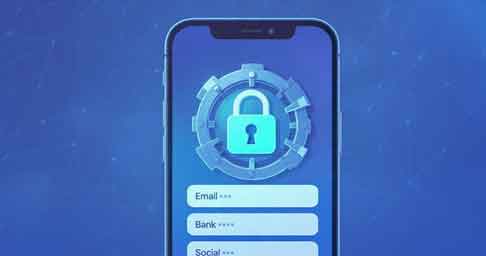
Managing passwords has become harder than ever because we use so many apps and websites every day. Many people struggle to remember strong passwords, and using the same one everywhere is risky. The Password Safe and Manager app solves this problem in a simple and secure way. It stores all your passwords in an encrypted vault that only you can unlock. This gives you complete control over your data while keeping everything safe. The app also works offline, which makes it even more private and secure.
The Password Safe and Manager app is designed for people who want strong protection without complex steps. The interface is easy to use, and the setup takes only a few minutes. You can create a master password, add your login details, and save everything inside the encrypted vault. This makes the app one of the most trusted offline password managers on Android today.
What Is the Password Safe & Manager App?. The Password Safe and Manager app is a secure vault designed to store passwords, PINs, notes, banking details, and other sensitive information. It protects all stored data using AES-256 encryption, which is one of the strongest security standards in the world. Only you can unlock the vault using your master password, so no one else can access your data.
One of the best features of this app is that it does not require the internet. It works completely offline, so your passwords never leave your device. This reduces security risks and gives you full privacy. Many users prefer this type of password manager because it keeps their information in one safe place without depending on cloud servers.
🧰 Key Features of the Password Safe & Manager App
The app comes with many features that improve both security and convenience. It also stays lightweight and easy to use for all types of users.
✔ 1. Strong AES-256 Encryption
The app uses AES-256 encryption to secure all your passwords. This is the same level of protection used in banks, military systems, and secure financial platforms. It ensures your vault cannot be accessed without the master password. Even if someone gets the file, they cannot open it.
✔ 2. 100% Offline Mode
Unlike cloud-based password managers, this app works completely offline. This means no online syncing, no risk of cloud server hacks, and no need for internet access. Your data stays inside your device only.
✔ 3. Master Password Protection
You unlock the vault with one master password. This makes it easy to access all your logins without remembering many different passwords. You only need to protect this one password.
✔ 4. Password Generator
The app includes a built-in password generator that creates strong and random passwords. This helps you avoid weak or repeated passwords across different accounts.
✔ 5. Easy Backup and Restore
You can create encrypted backups of your vault. These backups can be stored on your phone, SD card, or cloud storage of your choice. You can restore them anytime on another device.
✔ 6. Custom Categories and Notes
You can organize your passwords into categories like Email, Banking, Apps, Social Media, Shopping, and more. This makes it easier to find your passwords. You can also store notes for extra information.
✔ 7. Automatic Clipboard Clearing
When you copy a password, the app clears your clipboard after a short time. This prevents someone from reading your copied password.
✔ 8. Biometric Unlock (Pro Feature)
In the pro version, you can unlock the app using your fingerprint or face unlock. This adds convenience and fast access.
📱 How to Use the Password Safe & Manager App
Using the app is simple, even for beginners. The interface is clean and easy to understand. To start, install the app on your Android device. When you open it for the first time, it will ask you to create a master password. Make sure this password is strong and easy to remember. Once set, you can add entries for each of your websites or apps. You can enter your username, password, website link, category, and any notes. Everything you type is encrypted immediately. You can also use the password generator to create strong passwords. After saving, you can access your entries anytime using the master password.
⭐ Why Choose Password Safe & Manager?
The Password Safe and Manager app is perfect for people who want privacy, control, and security. Since it runs offline, there is no chance of your data being uploaded to the cloud without your permission. This makes the app ideal for security-conscious users. The app is also lightweight and does not consume much storage or battery. Another advantage is that there are no complicated features that confuse beginners. The app keeps everything simple while still offering strong protection. If you want a password manager that gives you strong encryption with easy usability, this is a great choice for Android.
🔽 Download Link
You can download the Password Safe & Manager app for Android here:
👉 Download APK (Android):
https://play.google.com/store/apps/details?id=com.reneph.passwordsafe
👉 Download (iPhone):
https://apps.apple.com/us/app/passwords/id6473799789
👉 Download (iPhone):
https://apps.apple.com/us/app/password-safe-and-manager/id1079505348
🧾 Final Verdict
The Password Safe and Manager app is one of the best offline password vaults for Android. It offers strong encryption, simple design, easy backups, and complete privacy. It is ideal for people who want a secure and trustworthy place to store their passwords without depending on cloud servers. With its offline operation and strong security, the app offers peace of mind for every user. If you need a secure and private password manager for Android, this app is a highly reliable choice. It helps you organize, store, and protect your passwords with ease. You only need to remember one master password, and the app handles the rest safely.