It happens to all of us: you’re in a café, watching a movie, or shopping when a captivating song comes on. You find yourself tapping your feet, but you have no idea what it’s called or who sings it. In the past, this meant a frustrating search through lyrics or asking everyone around you. Not anymore. Shazam is the revolutionary app that acts as your personal music detective. With a simple tap, it can listen to any song playing around you and within seconds, tell you the artist, title, and album. It’s a tool that has transformed how we discover and connect with music. If you’re ready to never lose a song again, this guide will show you everything you need to know about the Shazam apps.
What is Shazam and How Does It Work?
Shazam is a music identification service owned by Apple Inc. that uses your device’s microphone to sample a few seconds of audio. It then creates an acoustic fingerprint of the recording and compares it to a massive database of millions of songs. When it finds a match, it delivers the song’s details to your screen instantly.
Why You Need the Shazam App on Your Phone
- Instant Music Discovery: Satisfy your curiosity instantly. Find out the name of that catchy tune before it ends.
- Build Your Music Library: Shazam seamlessly connects with music streaming services like Apple Music and Spotify, allowing you to save identified songs to a playlist for later listening.
- Discover New Artists: Shazam isn’t just for unknown songs; it’s a powerful tool for exploring new music and artists you might never have found otherwise.
- Uncover Music from TV and Movies: Heard a great song in a commercial, TV show, or film? Shazam it to add it to your collection.
- Offline Functionality: Shazam can even identify music and sync the results once you’re back online.
How to Get the Shazam App
Getting started is incredibly easy. The app is available on all major platforms.
- For iPhone and iPad: Download “Shazam” from the Apple App Store.
- Bonus: Shazam is also integrated directly into iOS. You can add a Shazam shortcut to your Control Center for even faster access without opening the app.
- For Android Devices: Download “Shazam” from the Google Play Store.
- On Your Computer: You can also use Shazam directly in your web browser or through apps on macOS.
Key Features That Make Shazam Awesome
Once you have the app, you’ll discover it’s packed with features:
- One-Tap Identification: The classic, simple interface—just tap the large Shazam button to identify what’s playing.
- Auto Shazam: This mode keeps Shazam listening in the background, automatically identifying every song that plays around you—perfect for parties, concerts, or long listening sessions.
- Sync with Music Libraries: Your identified songs, or “Shazams,” are saved in a personal history. You can connect the app to your Apple Music or Spotify account to create a playlist of all your discoveries.
- Lyrics in Real-Time: Sing along! For many songs, Shazam provides synchronized lyrics that highlight in time with the music.
- Music Charts and Discovery: Explore what songs are trending in your city or country and discover what’s popular globally.
How to Use Shazam in 3 Simple Steps
- Download and Open: Install the Shazam app from your device’s app store and open it.
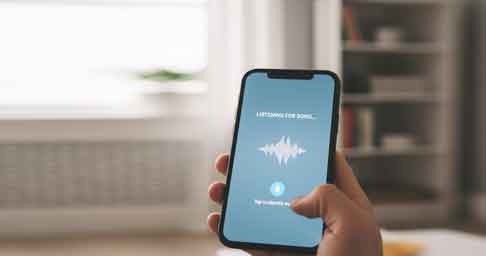
- Tap to Identify: When you hear a song you want to identify, simply tap the big blue Shazam button. Hold your phone towards the audio source.
- Get the Results: In seconds, the app will display the song title, artist, and album art. You can then view lyrics, watch the music video, or open the song in your preferred streaming service.
Who Is the Shazam App For?
- The Curious Music Lover: For anyone who has ever asked, “What’s this song?”
- Party Goers and DJs: To quickly identify and track down requests.
- Film and TV Enthusiasts: To find the perfect soundtrack song from your favorite show.
- Explorers of New Music: Use the charts and discovery features to find your next favorite artist.
Conclusion: Never Miss a Beat Again
In a world filled with music, Shazam is an essential app that empowers you to be an active participant in your listening experience. It bridges the gap between hearing a song and making it a part of your life.
Download the Shazam app today and unlock a world of music discovery.
[Download Shazam on the App Store]
[Get Shazam on Google Play]