An AI song maker app lets you create a full song from a few lines of lyrics. You describe the mood, and the app writes the music and adds vocals. So you do not need a studio, a keyboard or years of practice. In this guide, we compare the three most popular options for your phone. We also show you how to make your first song and what to check before you download.
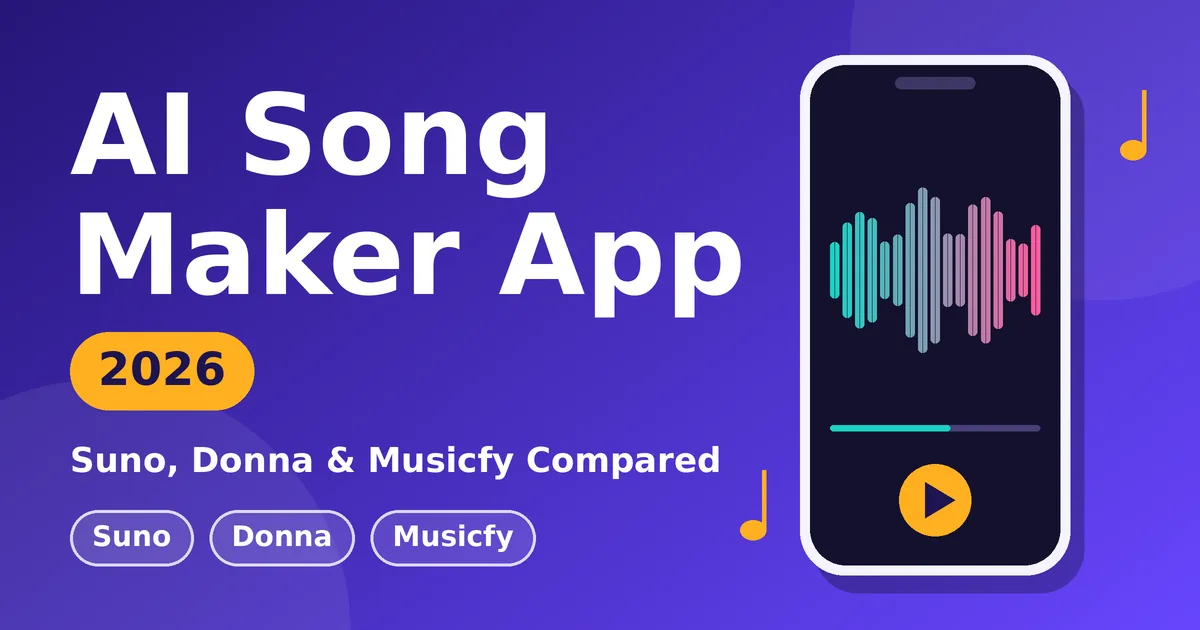
Quick answer: Suno is the best AI song maker app for most people. However, Donna works better for AI covers and song extension. Musicfy suits you if you want an AI singer and many genres. Also, all three are free to install, but free plans have limits.
What is an AI song maker app?
An AI song maker app uses artificial intelligence to turn your instructions into music. First, you type lyrics, describe a style, hum a tune or upload a recording. Then the AI builds a melody, an arrangement and a singing voice. People use these tools for birthday songs, reels, YouTube background music and demo ideas. Some people also call them AI music generators or AI song generators.
Which AI song maker app is best?
This table shows the key differences at a glance.
| Feature | Suno | Donna | Musicfy |
|---|---|---|---|
| Best for | Complete songs from a prompt | Covers, extending songs, video | AI singer, many genres |
| Text-to-song | Yes | Yes (text, lyrics or images) | Yes |
| Audio input | Yes | Yes | Yes |
| Stem separation | Check the app | Yes | Yes |
| Platforms | Android, iPhone | Android, iPhone | Android, web |
However, features change often. So check the official store listing before you subscribe.
Suno, Donna and Musicfy in detail
Below, you can read what each app does well and where it falls short.
1. Suno: the best all-round choice
Suno turns a text prompt, a hummed melody or an uploaded recording into a full song. It also covers many genres, such as pop, hip-hop, rock, jazz, country and electronic. As a result, it is a good first app because the path from idea to song is short. Also, Suno launched its v6 models in September 2026. The lineup includes a faster v6-mini, and you can edit parts of a song with a text prompt. However, free credits are limited, and some features need a paid plan.
2. Donna: best for covers and extras
Donna creates music from descriptions, lyrics or even images. Besides that, it offers AI covers, song extension and tools that split a track into vocals, drums and bass. Newer versions also add AI music videos and short clips, so it suits social media creators. On the other hand, Donna does not allow copyrighted lyrics, so write your own.
3. Musicfy: best for an AI singer
Musicfy lists more than 300 genres and includes an AI Singer. You enter a title, a style and lyrics, and the app builds the track. In addition, it offers audio input, instrument separation and voice-changing tools. Still, the app shows ads and sells in-app purchases, so read recent reviews first. If you prefer a browser, you can also try the web version.
How to make a song with an AI song maker app
- First, install the app from Google Play or the Apple App Store.
- Next, pick a create mode, such as text-to-song or audio input.
- Then write your lyrics or describe the song you want.
- After that, generate two or three versions, because small prompt changes give very different results.
- Also, extend the song or change the style if the app allows it.
- Finally, save your song and read the licence before you share it.
Prompt examples that work
A specific prompt beats a vague one. So name the genre, tempo, mood, instruments, voice and language.
For Indian languages, write the lyrics yourself. Then name the language in the prompt and try again until the words sound natural.
Safety checks before you download an AI song maker app
- First, check the developer name and read recent reviews.
- Next, grant only the permissions the app needs, such as the microphone.
- Also, read the subscription terms, because free installs often limit credits.
- Do not upload copyrighted lyrics or recordings without permission.
- Meanwhile, labels and artists still have lawsuits against some AI music companies, so licence terms can change.
- Finally, confirm the commercial rights before you earn money from a song.
AI song maker app FAQs
Which is the best AI song maker app in 2026?
Suno is the best AI song maker app for most beginners. However, Donna is stronger for covers and stem separation. Musicfy works well if you want an AI singer and many genres.
Is there a free AI song maker app?
You can install Suno, Donna and Musicfy for free. But free plans usually limit credits, daily songs or features. So check each plan before you rely on it.
Can I make a Malayalam or Hindi song with an AI song maker app?
Yes, many apps accept lyrics in Indian languages. However, pronunciation varies. So write the lyrics yourself, name the language in your prompt, and try again until it sounds right.
Can I use my own voice or a hummed tune?
Yes, if the app supports audio input. Suno, Donna and Musicfy all offer it. Still, availability depends on your app version and plan.
Can I use AI songs commercially?
It depends on the app terms and your plan. Therefore, read the current licence before you publish or earn money from a song.
Is it safe to download an AI song maker app?
Yes, if you install it from Google Play or the App Store. Also, check the developer name and permissions. Avoid modded APK files and unknown websites.
Final verdict
If you want one AI song maker app to start with, download Suno. If you care about covers and stems, try Donna. If you want an AI singer, try Musicfy. Test each app with the same prompt, and then keep the one that fits your voice and budget.
Also read: Making videos with your new song? See our guides to the Best Free Video Downloader for YouTube, Instagram, Facebook, Snapchat & Twitter and The Best Free Video Stabilization Tool for Content Creators.
This article is for information only. App features, prices and licence terms change, so check the official listing before you download. See our disclaimer.